Building a REST API with React.js (MERN with TypeScript)
Part 1: The Backend (Server)
Creating and deploying a full CRUD REST API app in React.js from scratch, without the use of AI tab-completions, is a significant milestone for any web development student. Frankly, it is still a big task even for senior devs.
However... It's simpler than you may think! 🚀
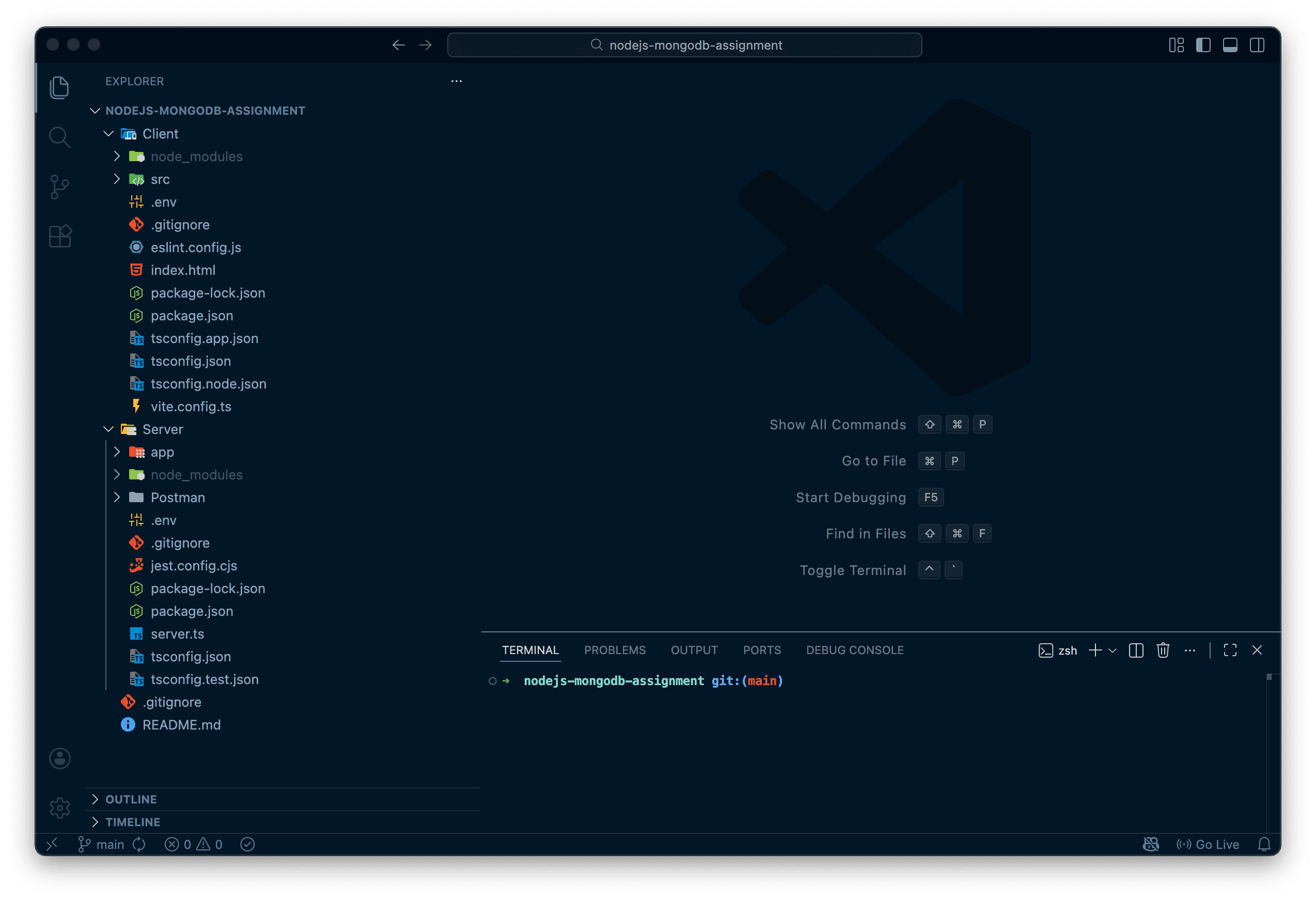
The screenshot above shows a full-stack React.js + Express.js application with defined CRUD routes, all written in TypeScript. Today, we're going to discuss everything involved in building this foundation.
Who is this for?
To be clear: This guide is for beginner to intermediate web developers who know basic HTML, CSS, and JS and want to build their first TypeScript MERN API from scratch.
I am assuming you have basic experience with:
- HTML, CSS, and JavaScript
- Using an IDE (like Visual Studio Code)
- Navigating the Terminal/Console
We will be building this out in TypeScript. If you're not experienced with TS, don't worry! You should easily get the hang of it if you have a firm grasp on JavaScript.
🛠️ The Tech Stack
In this post, we will focus on the Backend, but here is the full stack:
- Backend (Server)
- Node.js
- Express.js
- Mongoose
- TypeScript
- Extra Libraries: cors, dotenv, morgan, and types for TypeScript
- Frontend (Client)
- React.js
- React-Router
- TypeScript
- Vite
- CSS (global, modules, or Tailwind are recommended)
- Extra Libraries: react-hot-toast, and types for TypeScript
Setting up the Backend
I prefer using the terminal, so that's the route we're going to take for setup! Yet you're welcome to use your systems's or IDE's file browser to create new files and folders. Follow the most efficient workflow for you.
Step 1: Scaffold the Project
First, let's create our main project folder and separate directories for our server (backend) and client (frontend).
-
Open your terminal and create the project directory:
mkdir example-api-app && cd example-api-app -
Create the sub-folders for the backend and frontend:
mkdir server
mkdir client
Step 2: Initialize & Install Dependencies
Let's dive into the server directory and get our application ready.
- Initialize the Node project and install libraries:
cd server
npm init -y
npm install express cors dotenv morgan mongoose
npm install -D typescript tsx @types/node @types/express @types/morgan @types/cors
What just happened?
npm init -y: Created thepackage.jsonfile with default settings.npm install: Installed the libraries our server needs to run (Express, Mongoose, etc.).npm install -D: Installed "Dev Dependencies", the tools we only need while coding, specifically TypeScript and its types.
Step 3: TypeScript Configuration
Create the TypeScript config file:
npx tsc --init
You will now see a tsconfig.json file. Replace its contents with the configuration below to match my setup (I've tweaked a few defaults for better modern node support):
{
  "compilerOptions": {
    "rootDir": "./",
    "outDir": "./dist",
    "module": "nodenext",
    "moduleResolution": "NodeNext",
    "target": "ES2022",
    "lib": ["ES2022"],
    "types": ["node"],
    "sourceMap": true,
    "declaration": true,
    "declarationMap": true,
    "esModuleInterop": true,
    "noUncheckedIndexedAccess": true,
    "exactOptionalPropertyTypes": true,
    "strict": true,
    "jsx": "react-jsx",
    "verbatimModuleSyntax": true,
    "isolatedModules": true,
    "noUncheckedSideEffectImports": true,
    "moduleDetection": "force",
    "skipLibCheck": true
  }
}
I recommend you copy and paste this exactly into your tsconfig.json.
Step 4: Configure package.json
Open your package.json file. We need to update the scripts and define the project type.
Update the "scripts" section:
  "scripts": {
    "test": "echo \"Error: no test specified\" && exit 1",
    "dev": "tsx watch server.ts",
    "build": "tsc",
    "start": "node dist/server.js"
  },
Add the "type" section:
"type": "module",
Why these changes?
npm run dev: Usestsxto watchserver.tsfor updates, instantly refreshing our dev environment.npm run build: Compiles our TypeScript into JavaScript.npm run start: Runs the production version of the app.- Notice
server.tsin the scripts? That tells us we need to create a file namedserver.ts.
Step 5: Git Version Control
Before going further, let's initialize Git to keep our work safe.
-
Create a
.gitignorefile:touch .gitignore
-
Edit
.gitignoreto prevent massive folders from being uploaded:// .gitignore node_modules dist .env
-
Pro Tip: If you are on a Mac, you probably have annoying hidden
.DS_Storefiles everywhere. I always create a.gitignoreat the root and add.DS_Storeto it. This is totally not required. -
Initialize the repository:
In the commands below we're first changing directory back to our / root.
cd ..
git init
git add . -A
git commit -m "Initial commit" -m "Setup basic framework for a MERN stack backend"
💻 Step 6: Setup the Express.js Server
Now, let's get into the real action. We are going to separate our app logic from our server definition.
In the /server directory, let's finally create the server.ts file:
cd server
touch server.ts
The App Logic (/server/index.ts)
Let's define the Express application first. Paste this into index.ts:
import express, { type Request, type Response } from "express";
import morgan from "morgan";

const app = express();

app.use(morgan("dev"));
app.use(express.json());

app.get("/", (_req: Request, res: Response) => {
  res.status(200).json({ message: "API is running.", success: true });
});
The Server Entry Point (/server.ts)
Now, let's tell the server to listen for connections. Paste this into server.ts:
import "dotenv/config";

const PORT = Number(process.env.PORT) || 3000;

app.listen(PORT, () => {
  console.log(`Server is running on ${PORT}`);
});
🎉 Test Your Server
Open your terminal and run the dev command:
npm run dev
If everything is set up correctly, you should see this beautiful message:
> server@1.0.0 dev > tsx watch server.ts

Server is running on 3000
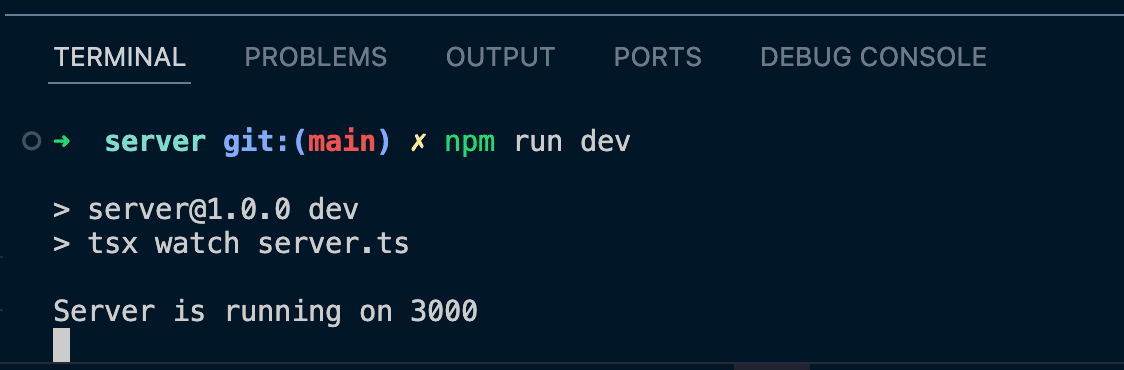
Congratulations! You've successfully built the foundation of a TypeScript MERN backend.
What's Next?
We have a running server, but it doesn't do much yet. Let's create a dedicated route handler for our CRUD operations so we can actually talk to our API.
👤 Step 7: Creating User Routes & Separation of Concerns
We want to keep our codebase clean. In the professional world, we separate our "routes" (the URL paths) from our "server config" (the startup logic).
Step 1: Directory Structure
Let's organize our files. Inside your existing server folder, we need to
create a place for our routes.
- Create an
appdirectory within your server. - Create a folder named
routeswithinapp. - Inside
routes, create a file namedindex.ts.
Your file tree should now look like this:
server/
├── app/
│   ├── routes/
│   │   └── index.ts  <-- We are here
│   └── index.ts
├── server.ts
└── ...
Step 2: Define the Route Handler
Open that newly created server/app/routes/index.ts file. We are going to use the Express Router to set up a clean GET endpoint.
Copy and paste the following code:
import express, { type Request, type Response } from "express";

// Create a router instance
const router = express.Router();

// Define a GET route for the root of this router
router.get("/", (req: Request, res: Response) => {
  res.status(200).json({
    success: true,
    message: `${req.method} - Request made`,
  });
});

export default router;
What does this code do? 🧐
-
express.Router(): This creates a "mini-app" capable of handling requests. It allows us to bundle all our related routes (like user routes) together and export them. -
The Request/Response Types: Since we are using TypeScript, we import
RequestandResponseto ensure we have autocomplete and type safety on ourreqandresobjects. -
router.get: This tells the API to listen for a HTTP GET request. If we wanted to create data, we would use.post; to update,.putor.patch; and to remove,.delete.
Step 3: Wire it up
Now we need to tell our main application to use these routes.
Open your server.ts and put in the following code:
import cors from "cors";
import routeHandler from "./app/routes/index.js";

app.use(cors());
app.use("/api/v1", routeHandler);
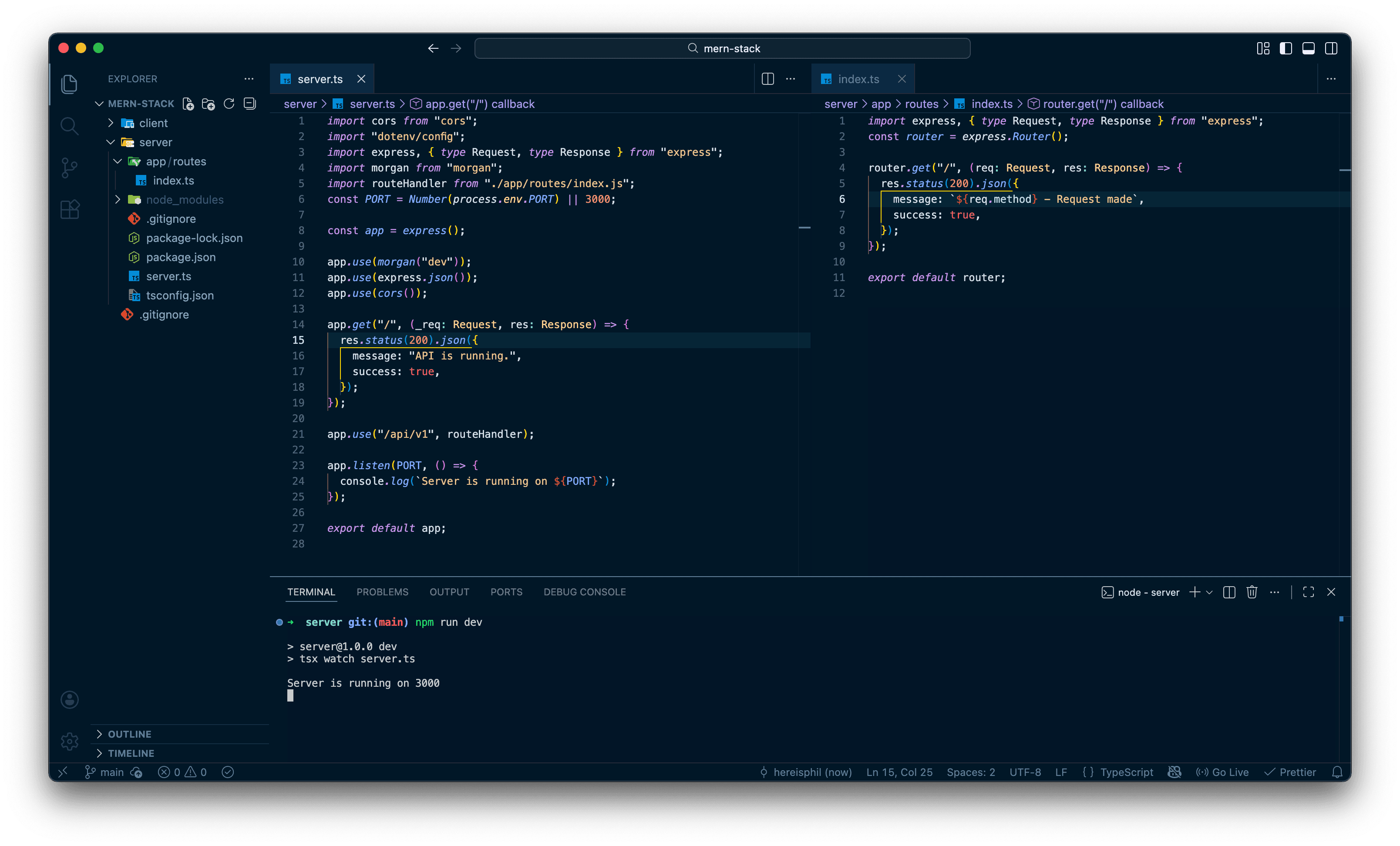
Here's a full overview of what your server.ts and index.ts file should look like now:
Step 4: Test the Endpoint
- Save your files.
- Ensure that you're still at, or navigate to
/serverin your terminal and runnpm run dev - Go to your browser or a tool like Postman and visit: http://localhost:3000/api/v1
You should see:
  "success": true,
  "message": "GET - Request made"
}
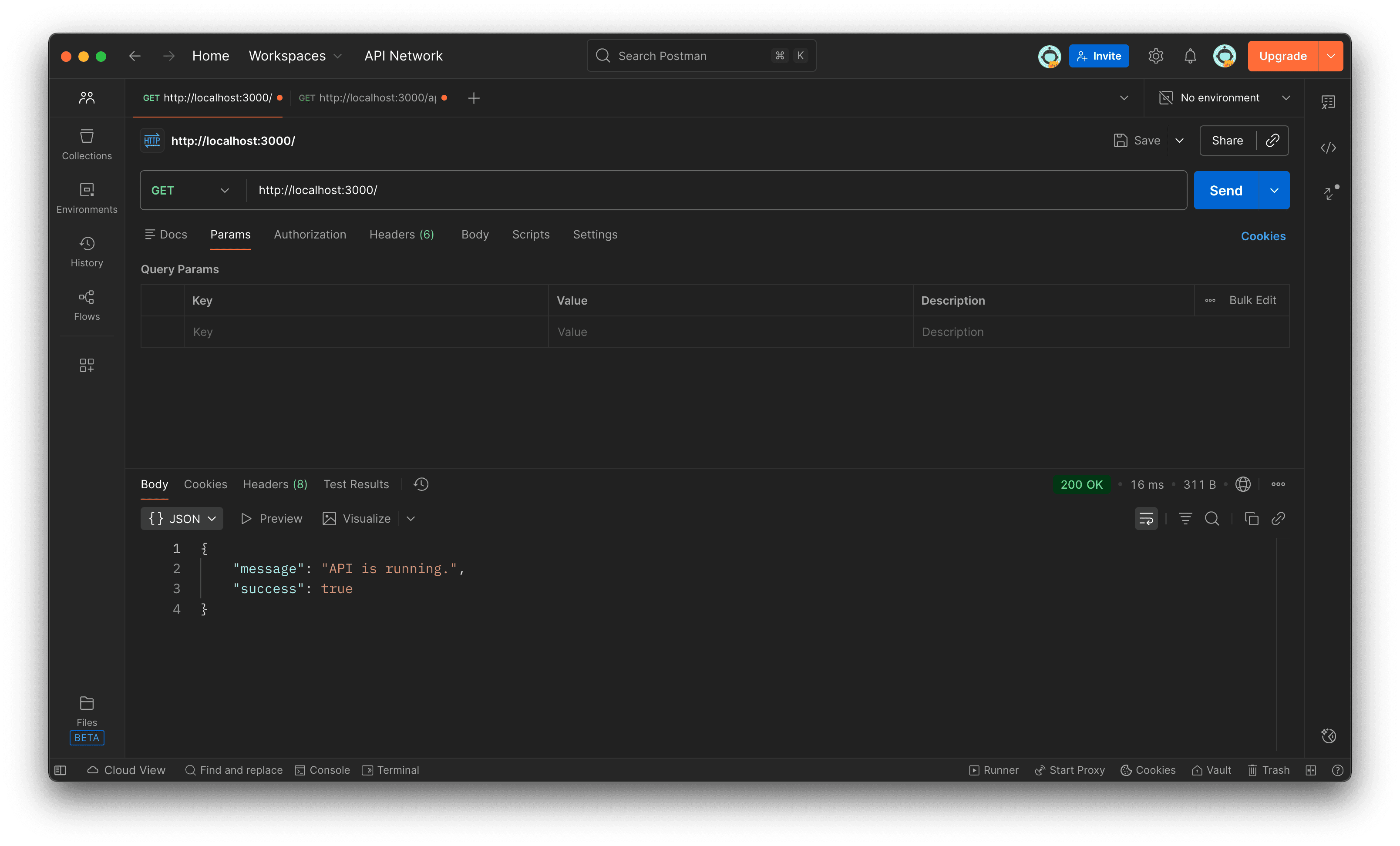
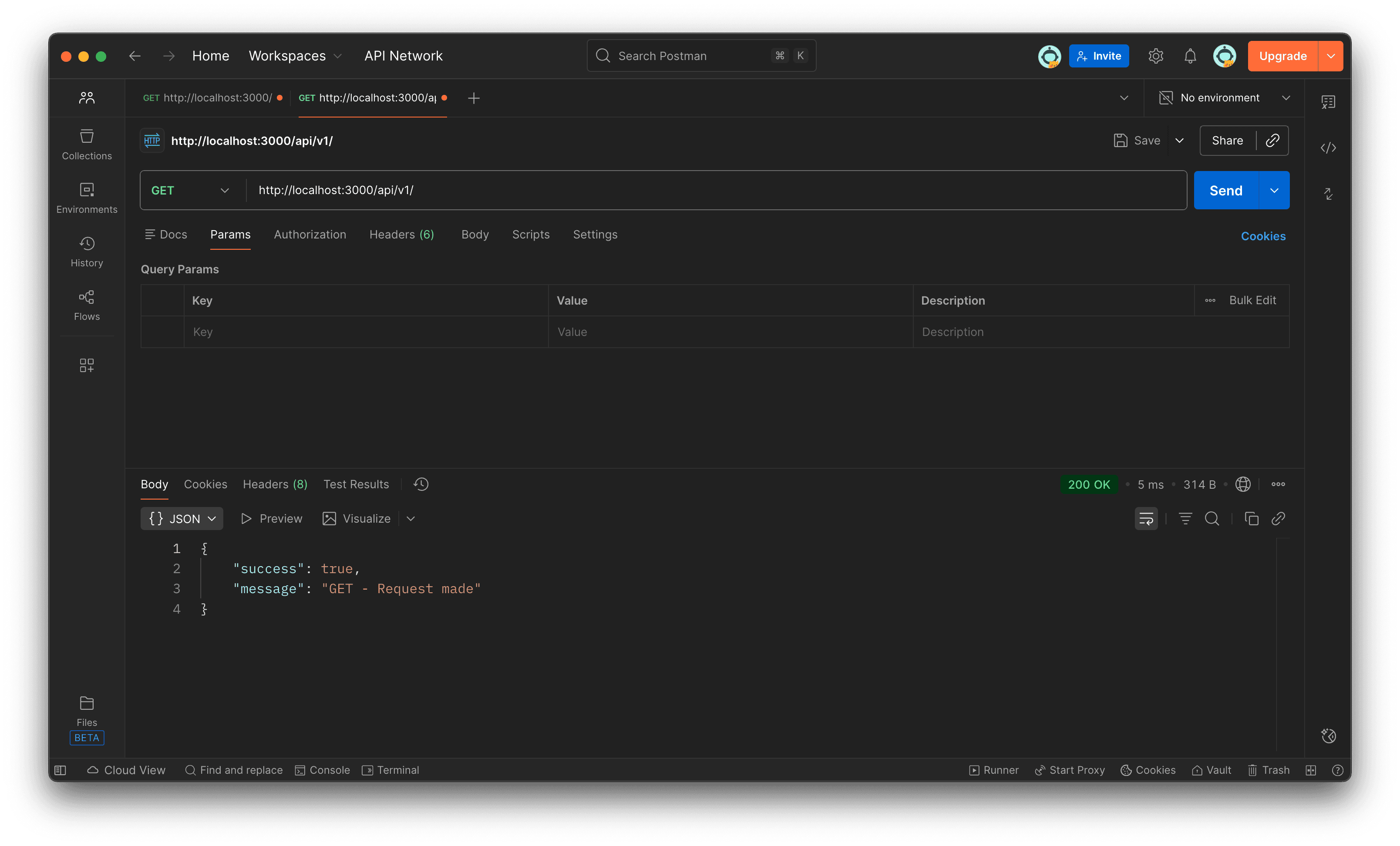
Boom! 💥 You now have a modular routing system ready for specific User, Post, or Product data.
The best way to learn is by building. Start small, experiment with components, and gradually build more complex features.
The Express.js and entire MERN Stack community is large and helpful, so don't hesitate to search for solutions when you get stuck.
Happy coding, and enjoy building amazing Full-Stack MERN apps!
Last updated: December 12, 2025